
AI CRM for Small Business: Why Your Next CRM Should Think, Act, and Update Itself

Share This Article

AI CRM for Small Business: Why Your Next CRM Should Think, Act, and Update Itself

Most small businesses have a CRM problem they do not know they have.

It is not that they chose the wrong software. It is that the software is only as good as the data inside it — and keeping that data current requires constant manual effort from a team that already has too much to do.

The result is a CRM that nobody trusts. Notes that are weeks out of date. Contact records missing the last three interactions. Pipeline stages that do not reflect reality because nobody had time to update them after Tuesday’s calls. Sales reports built on incomplete data. Follow-up tasks that got created and never cleared.

This is the traditional CRM model working exactly as designed — except the design is wrong for how small businesses actually operate.

An AI CRM for small business works differently. It does not wait for your team to enter data. It captures data automatically from every interaction — every call, text, email, and chat — and updates the customer record in real time. It does not need to be managed. It manages itself.

What Makes a CRM “AI-Powered”?

The term “AI CRM” gets applied loosely. Some platforms add AI as a feature — an assistant that suggests email copy, or a chatbot that lives in the sidebar. That is AI bolted onto a traditional CRM.

A true AI CRM is different in a more fundamental way. The AI is not an add-on. It is the operating layer of the system.

The Key Difference: Active vs. Passive

A traditional CRM is passive. It waits for your team to put data in, then organizes and displays that data.

An AI CRM is active. It listens to every customer interaction — calls, texts, emails, chats — extracts structured data, and updates the relevant records automatically. When a customer calls and mentions they are ready to move forward, the AI logs the call, updates the pipeline stage, creates a follow-up task, and sends a confirmation — without anyone on your team doing anything manually.

The downstream effect is enormous. Your CRM becomes a real-time, accurate reflection of your customer relationships — not a system your team struggles to keep current.

What an AI CRM Can Do That a Traditional CRM Cannot

  • Auto-update contacts: Every call and message updates the customer record automatically. No more stale data.
  • Detect sales intent: The AI identifies when a conversation suggests buying intent and opens the appropriate sales pipeline.
  • Generate interaction summaries: After every call, a structured summary is added to the contact record — what was discussed, what was decided, what needs to happen next.
  • Suggest next best actions: Based on the customer’s history and current pipeline stage, the AI recommends what to do next and can execute with your approval.
  • Connect your entire stack: Real AI CRMs work inside your existing tools — HubSpot, Salesforce, Google, Microsoft, Stripe — not as a replacement that requires migrating everything.

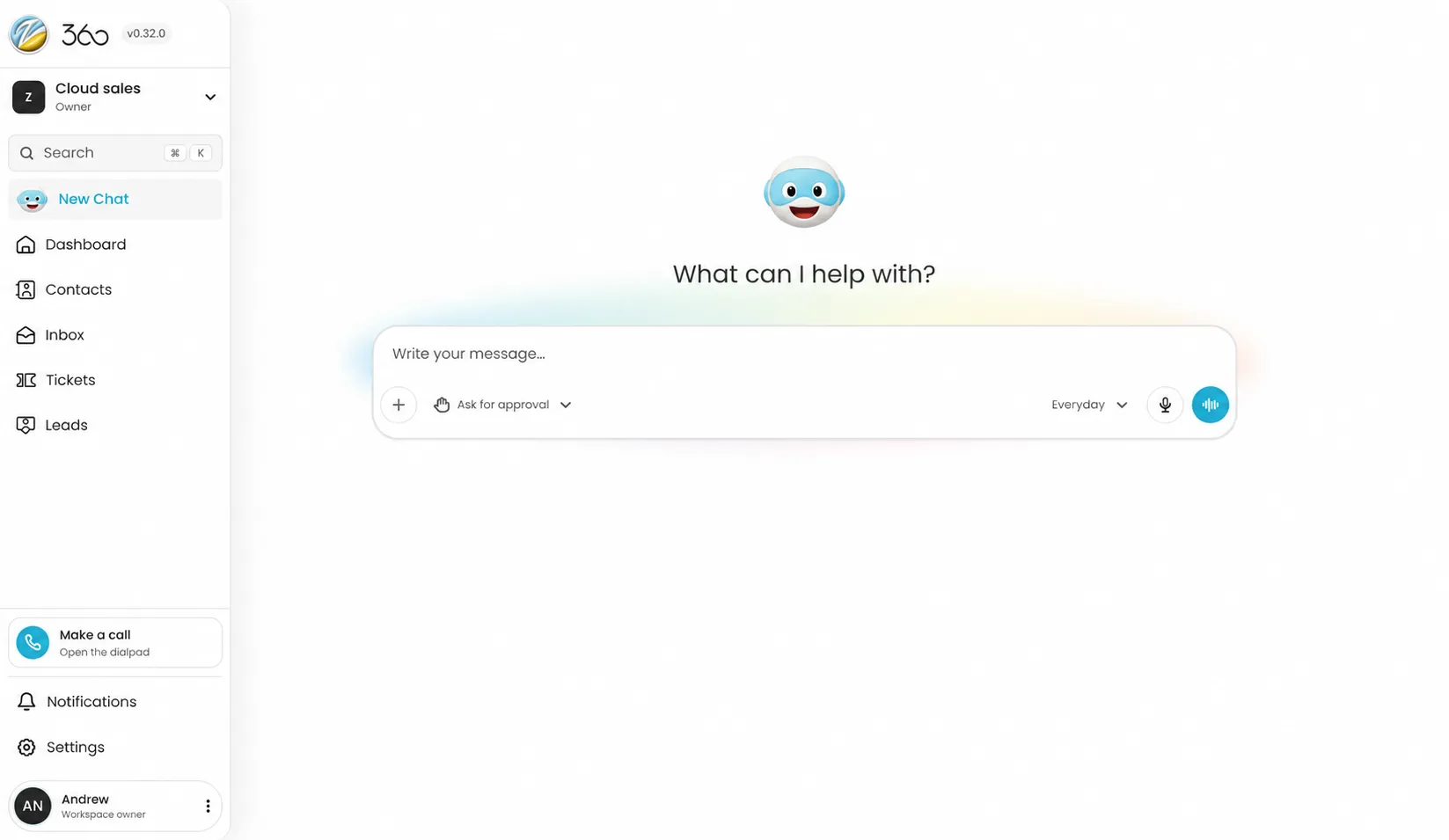
This is exactly how Z360’s CRM works. Contacts update themselves from every call, text, email, chat, and form submission. The AI is configured once and then runs — no ongoing management required.

The Real Cost of a Passive CRM

Before looking at what an AI CRM delivers, it is worth being honest about what traditional CRMs are costing small businesses right now.

  • Lost follow-up: A contact who called three weeks ago and never got a response. A quote that was sent and never followed up on. A customer who was ready to rebook and never received a reminder.
  • Duplicate work: Your team calls a customer, takes notes on paper, then manually enters them into the CRM. The same information exists in two places, enters the system late, and is often incomplete.
  • Bad reporting: Sales reports that reflect what was entered into the CRM — which is not the same as what actually happened. Pipeline stages that are weeks behind reality.
  • Slow handoffs: When a customer is transferred from sales to service, the service team has no context. They are starting the conversation from scratch.
  • Wasted staff time: Research suggests that sales staff spend 20 to 30% of their time on administrative CRM tasks. For a team of five, that is one full-time equivalent doing nothing but data entry.

For small businesses already dealing with the challenges of missed calls and slow lead response, a CRM that requires heavy manual maintenance adds to the problem rather than solving it.

How an AI CRM Changes Day-to-Day Operations

The practical changes are not subtle. Here is what the day actually looks like when your CRM runs on AI:

Morning

Your team arrives. Instead of sorting through voicemails, missed call logs, and email inboxes spread across different tools, they open Z360’s unified Inbox. Every customer interaction from the previous evening — calls answered by the AI, texts received, web forms submitted — is already logged, sorted by priority, and tagged for follow-up. The CRM is current without anyone having touched it since yesterday afternoon.

During the Day

A potential client calls. The AI answers, identifies them as a returning contact, pulls up their history, and handles the inquiry. If it is a sales conversation, it opens an Inquiry in the pipeline and begins the follow-up sequence. The sales rep gets a notification: “New qualified lead — here’s what they need and what I’ve done so far.”

Your team closes a deal. The CRM pipeline stage updates automatically. A follow-up task is created for onboarding. The customer receives a confirmation and next steps — all without the sales rep touching a keyboard.

End of Day

The team leaves. The AI continues — answering after-hours calls, capturing emergency requests, following up on open leads that did not respond earlier in the day. By morning, every interaction is already logged and ready for review.

You can ask Z — Z360’s built-in AI assistant — to generate a report on the day’s activity at any time. “Summarize this week’s calls.” “Show me leads that haven’t been followed up.” “What is our pipeline look like right now?” It knows your business because it has been watching it run. Explore the full platform at z360.biz/product/.

AI CRM vs. Traditional CRM: A Practical Comparison

Data entry — Traditional: manual by staff. AI CRM: automatic from every interaction.

Data accuracy — Traditional: depends on staff discipline. AI CRM: real-time, complete.

Follow-up — Traditional: manual reminders and tasks. AI CRM: automated sequences triggered by interaction data.

Sales intent detection — Traditional: rep judgment. AI CRM: automatic, from call and message analysis.

After-hours — Traditional: nothing captured. AI CRM: all interactions logged overnight automatically.

Reports — Traditional: reflect what was entered. AI CRM: reflect what actually happened.

Setup complexity — Traditional: configure, train staff, manage adoption. AI CRM: configure AI once, it runs.

For businesses evaluating Z360 pricing versus traditional CRM options, the calculation needs to include staff time savings on data entry — which typically eliminates $1,500 to $3,000 in monthly administrative labor cost in businesses with 3 to 10 staff members.

Frequently Asked Questions

What is an AI CRM for small business?

An AI CRM is a customer relationship management platform where artificial intelligence handles data capture, record updates, follow-up sequences, and next-action suggestions automatically. Unlike traditional CRMs that require manual data entry, an AI CRM updates itself from every customer interaction in real time.

How is an AI CRM different from HubSpot or Salesforce?

HubSpot and Salesforce are powerful traditional CRMs with AI features added. They require significant manual data entry, professional setup, and ongoing management. An AI-first CRM like Z360 is built from the ground up around automated data capture — the AI is the operating layer, not a feature.

Is an AI CRM suitable for very small businesses?

Especially for very small businesses. When you have a team of two to five people, there is no dedicated CRM administrator to keep records current. An AI CRM that maintains itself is not just convenient — it is the only practical way for a small team to have accurate, up-to-date customer data.

Can an AI CRM replace our answering service?

Z360 includes AI call answering as part of the platform — so in most cases, yes. The AI answers calls, logs the interaction to the CRM, and triggers appropriate workflows. It is not a separate answering service bolted onto a CRM. It is a unified system where answering and recording happen together.

How long does it take to get an AI CRM running?

Z360’s typical setup timeline is two weeks from sign-up to fully operational. The AI is configured once — identity, tone, capabilities, rules — and then runs continuously. There is no ongoing technical management required.

Conclusion

The CRM problem for most small businesses is not finding software that can store customer data. It is finding software that keeps customer data current without consuming the team’s time and attention.

That problem has a solution now — and it is not a more disciplined approach to manual data entry. It is a CRM designed from the start to capture data automatically, act on it intelligently, and keep your team informed without requiring them to maintain the system.

Z360 is that CRM. Built AI-first. Designed for small businesses. Running 24/7 without manual input.

➡  See Z360’s AI CRM in action →

Ready to explore AI services?

Book a personalized demo and watch Z360 handle a real customer conversation, qualify a lead, and answer a business question - all in 15 minutes.

Leave a Reply

Your email address will not be published. Required fields are marked *